
-
You are here:
- Home
Cyber Security
- Overview
- Guidance, Documents & Policies
- Key Topics
- Types of Cyber Attacks
- Examples & Advice
- FAQs
- Ask a Question
This section on cyber security provides our initial documents and micro learning, to support your cyber security resilience.
The documents include:
- Cyber Essentials Guidance
- Business Continuity Template
- Information Security Policy
- Physical Security Policy
- Changing IT Provider Considerations
Whilst Cyber Essentials is a recommended framework, you may find it not right for you - however, the areas covered are those that your organisation needs to pay attention to, so it is worth reviewing. If you are a school or trust, you may wish to review the DfE Digital Standards for Schools and Colleges.
The key points in a cyber security strategy are:
- Identify
- Protect
- Detect
- Respond
- Recover
 Knowledge Bank Documents & Policies
DfE Documents:
Knowledge Bank Cyber Drip Feed Posters
Knowledge Bank E-Learning and Articles
Data Protection and Cyber Security (Inset Day) Training Ideas
Free Cyber help, advice and training with the Cyber Resilience Centres
Free short cyber training for staff
Free cyber training for staff
How to avoid a data breach: Information and Cyber Security
Password Security
External Links:
NCSC Cyber Security Training for School Staff
DfE Resources:
External resources:
Action Fraud
Common Cyber Attacks - Reducing the Impact
ISO 27001
NCSC (National Cyber Security Centre)
NEN Standard Network Design:
NEN MAT Standard Network Design
NEN Secondary Standard Network Design
NEN Primary Standard Network Design
Download the Harry the Hacker 'Where's Harry the Hacker' search for data breaches:
What to do in the event of a cyber attack
First, follow your cyber response plan. Record the incident in your internal incident log, inform your governing board or trustees, and contact your Data Protection Officer (DPO) as soon as possible if personal data could be involved.
Incidents or attacks where a security breach may have taken place, or other damage was caused, should also be reported to an external body. The SLT digital lead is responsible for assigning someone to report any suspicious cyber incidents or attacks. This person will need to report to:
- Report Fraud, which replaced Action Fraud in December 2025, on 0300 123 2040 or through the Report Fraud website. Make sure it is recorded as a crime report so that you receive a crime reference number.
- the DfE sector cyber team at
This email address is being protected from spambots. You need JavaScript enabled to view it.
You may also need to report to:
- the National Cyber Security Centre (NCSC) if the incident or attack causes long-term school closure, the closure of more than one school, or serious financial damage. If you're not sure who to report to, use the government's cyber incident signposting service.
- the Information Commissioner's Office (ICO) within 72 hours of becoming aware of a personal data breach, unless the breach is unlikely to result in a risk to people's rights and freedoms. If the risk is high, you must also tell the people affected without undue delay. Your DPO can help you assess this. We will do this on behalf of DPE customers.
- the Risk Protection Arrangement (RPA) emergency assistance helpline on 0800 368 6378 or
This email address is being protected from spambots. You need JavaScript enabled to view it. , if you are an RPA member, or your cyber insurance provider if you have one - your local police force if you suspect a safeguarding impact
- any third-party service providers whose systems are affected, so they can be part of a coordinated response
- Jisc CSIRT, if you are part of a further education institution.
You must act in accordance with:
- Report Fraud's guide to reporting cyber crime and fraud
- Academy Trust Handbook Part 6, if you are part of an academy trust. Since September 2025, academy trusts must not pay any cyber ransom demands.
- the ICO's guidance on personal data breaches.
Preserve the evidence
Police investigations may find out whether any compromised data has been published or sold, and identify the perpetrator. Preserving evidence is as important as recovering from the crime. Keep a clear record of what happened, when, and what actions you took. The DfE's guidance on record keeping in an incident explains what to capture.
Reporting suspicious emails and texts
Forward suspicious emails to
If you are a school, federation or multi-academy trust, you should review the DfE Cyber Security Standards for schools and colleges.
Our videos can be shared with anyone by clicking on the Vimeo share button and copying and pasting the vimeo link:

Access control and user permissions are fundamental components of cyber security. They help protect sensitive data and ensure that only authorised individuals have access to systems and data.
- Protection of sensitive information - access control restricts who can view or access systems and data.
- Minimisation of risk - by giving access to only what is needed for someone's job role, organisations reduce the potential attack surface for cyber criminals and helps prevent data breaches.
- Mitigating internal risks - a lot of cyber attacks come from the 'insider threat'. Access control policies help ensure that employees only have access to the information necessary, which reduces the likelihood of intentional or accidental misuse.
- Regulatory compliance - many industries are governed by regulations that mandate strict access control measure to protect data. The ICO, as part of the UK GDPR, says you must have appropriate security controls in place to protect data.
- Data integrity - user permissions ensure that only authorised personnel can modify, delete or manage critical data and system configurations. This helps maintain the integrity of data, ensuring it remains accurate.
- Role based control - implementing role-based access control allows organisations to assign permissions based on roles rather than to individuals. This simplifies the management of permissions. Principle of least privilege means giving users the minimum level of access necessary to perform their job function.
- Prevention of unauthorised software installation - by controlling who can install software or run certain applications, organisations can prevent the introduction of malware and harmful changes.
- Supporting remote work - as remote work becomes more common, access control ensures that employees working outside the office can only access the resources they need and that the connections are secure.
By implementing robust access controls, organisations can significantly reduce their risk of cyber incidents and ensure that their data and systems remain secure and operational. Consider what business procedures you have in place to authorise access control.
Knowledge Bank Best Practice
Related best practice areas:
Knowledge Bank Articles
No item found!
Backups ensure that data and systems can be recovered in the event of data loss due to cyber attacks, hardware failures or accidental deletions.
- Regular backup schedule - backups should be done regularly to minimise data loss. The frequency depends on the organisation and should be a business decision. Automated backups reduce the risk of human error and ensure consistency.
- Data coverage - not all data will need to be backed up, so ensure you identify and prioritise critical data that should be backed up. There should be a combination of full backups which capture all data and incremental backups which capture changes since the last backup.
- Offsite and offline backups - backups should be stored in a separate physical location to the main systems of an organisation or to a secure cloud environment to protect against site-specific incidents. Offline backups help protect against ransomware and other cyber threats.
- Encryption - backup data and data during transmission should be encrypted, with strong key management practices to securely store and manage encryption keys.
- Data integrity - backups should be regularly tested to ensure data can be successfully retrieved and that data integrity is maintained.
- Access control - only authorised personnel should have access to backup systems. Access and actions should be monitored to detect any suspicious activity.
- Retention policy - backup data should still come under your data retention policy. And remember, is still part of a subject access request.
- Disaster recovery - any backups should be included in any disaster recovery and business continuity plans to ensure rapid recovery of essential systems and data after an incident. The business should decide the optimum recovery time.
- Regulatory compliance - your backups should comply with data protection regulations.
By implementing a robust backup strategy that includes regular scheduling, offsite storage, encryption, access control, and alignment with disaster recovery plans, organisations can mitigate the risks associated with data loss and maintain business continuity in the face of cyber threats.
Knowledge Bank Best Practice
Related best practice areas:
Knowledge Bank Articles
No item found!
Cybersecurity compliance in the UK involves adhering to a range of laws, regulations, and standards designed to protect data, ensure privacy, and safeguard against cyber threats. Organisations operating in the UK must navigate these requirements to avoid legal penalties, protect sensitive information, and maintain trust with customers and stakeholders. Here's an overview of the key regulations and standards related to cybersecurity compliance in the UK:
1. General Data Protection Regulation (UK GDPR)
Key Requirements:
· Data Protection Principles: Organisations must process personal data lawfully, transparently, and for a specific purpose. Data should be kept accurate, secure, and only as long as necessary.
· Rights of Individuals: Individuals have rights over their data, including the right to access, rectify, erase, and restrict processing.
· Data Breach Notification: Organisations must report certain types of personal data breaches to the relevant supervisory authority within 72 hours.
· Data Protection Impact Assessments (DPIAs): Required for processing activities that pose a high risk to individuals' rights and freedoms.
· Appointment of a Data Protection Officer (DPO): Mandatory for public authorities and organisations engaging in large-scale processing of sensitive data.
2. Network and Information Systems (NIS) Regulations
Overview: The NIS Regulations 2018 are the UK's implementation of the EU NIS Directive. They focus on improving the security of network and information systems that are critical to the country's essential services, such as energy, transport, health, and water.
Key Requirements:
· Security Measures: Organisations must implement appropriate and proportionate technical and organisational measures to manage risks posed to the security of network and information systems.
· Incident Reporting: Organisations are required to report significant incidents that affect the continuity of essential services to the relevant competent authority.
· Supervision and Enforcement: Competent authorities oversee compliance and can impose fines for non-compliance.
3. The Data Protection Act 2018
Overview: The Data Protection Act 2018 complements UK GDPR, providing a framework for data protection and privacy.
Key Requirements:
· Compliance with GDPR: The act enforces GDPR principles and provides guidance.
· Special Categories of Data: Additional safeguards for processing sensitive data categories, such as health, ethnicity, and criminal records.
· Exemptions and Derogations: Specific exemptions and modifications to GDPR rules, particularly for law enforcement, national security, and academic research.
4. The Payment Card Industry Data Security Standard (PCI DSS)
Overview: PCI DSS is a global standard that applies to organisations handling payment card information. While not a law, compliance is often required by contracts with payment processors and banks.
Key Requirements:
· Secure Cardholder Data: Protecting stored cardholder data and encrypting data transmitted across open networks.
· Access Control: Implementing strong access control measures, including unique IDs for users and physical access restrictions.
· Regular Monitoring and Testing: Regularly monitoring networks and testing security systems and processes.
· Information Security Policies: Maintaining a policy that addresses information security for all personnel.
5. ISO/IEC 27001
Overview: ISO/IEC 27001 is an international standard for information security management systems (ISMS). While not legally mandatory, it is widely recognised and often required for certain industries or contracts.
Key Requirements:
· ISMS Implementation: Establishing, implementing, maintaining, and continually improving an ISMS that is aligned with the organisation's needs.
· Risk Assessment and Treatment: Identifying security risks and implementing controls to mitigate them.
· Compliance and Auditing: Regularly auditing and reviewing the ISMS to ensure it remains effective and compliant with the standard.
6. Cyber Essentials
Overview: Cyber Essentials is a UK government-backed certification scheme designed to help organisations protect themselves against common cyber threats.
Key Requirements:
· Basic Security Controls: Implementing five basic security controls: firewalls, secure configuration, access control, malware protection, and patch management.
· Self-Assessment or Certification: Organisations can either self-assess to gain certification or undergo a more rigorous assessment for Cyber Essentials Plus certification.
· Public Sector Contracts: Often required for organisations bidding for government contracts involving the handling of sensitive and personal data.
7. The Computer Misuse Act 1990
Overview: The Computer Misuse Act 1990 makes it a criminal offense to access or modify data on a computer without permission. It underpins legal actions against cybercrimes in the UK.
Key Requirements:
· Unauthorised Access: Illegal to gain unauthorised access to computer systems, which includes hacking.
· Intent to Commit Further Offenses: Illegal to access computer systems with the intent to commit further crimes.
· Data Modification: Illegal to modify or delete data without authorisation, including spreading malware or viruses.
8. DfE Digital Standards - although not a law is a set of standards provided by the government to help schools and colleges make more informed decisions about technology leading to safer, more cost-efficient practices.
Cybersecurity compliance in the UK involves navigating a complex landscape of regulations and standards designed to protect personal data, ensure the security of critical infrastructure, and mitigate cyber threats. Organisations must implement the necessary technical, organisational, and legal measures to comply with these regulations, which not only protect them from legal penalties but also enhance their overall cybersecurity posture. Regular reviews and updates to compliance practices are essential to keeping pace with evolving threats and regulatory changes.
Knowledge Bank Best Practice
Related best practice areas:
Knowledge Bank Articles
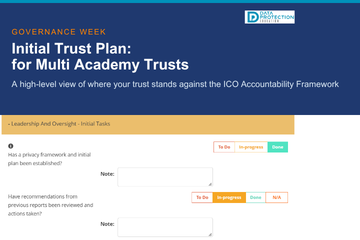
Initial Trust Plan for Data Protection Compliance (for Multi Academy Trusts)
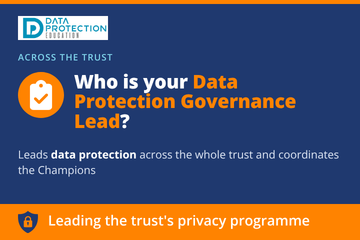
The Data Protection Governance Lead Role | MATs
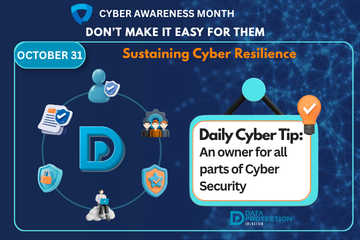
Sustaining Cyber Resilience | October 31
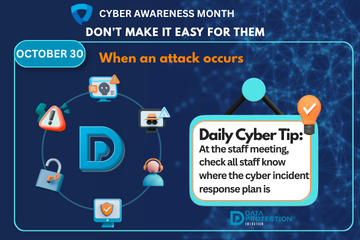
Incident Management and Escalation When a Cyber Attack Occurs | October 30
Backups. Your Recovery Safety Net | October 29
Hardware & Physical Security – Disposal, Printers & Repurposing | October 28
Asset Management and Tracking Every Device on Your Network | October 27
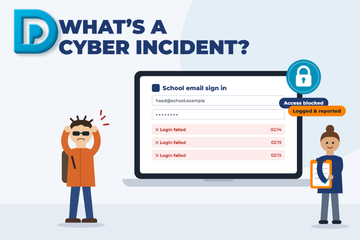
What's a Cyber Incident and what should we do?
Regular Updates and Patching | October 25
Cyber Career Week: IT Support & Technical Leads | October 23
Data encryption is used to protect sensitive information by converting it into an unreadable format, which ensures that only authorised parties can access it.
Purpose of Encryption:
- Confidentiality - protects the data from unauthorised access.
- Integrity - ensures data has not been altered.
- Authentication - verifies the identity of the person accessing the data.
Types of Encryption
- Symmetric Encryption - uses the same key for encryption and decryption.
- Asymmetric Encryption - uses a pair of keys. A public key for encryption then a private key for decryption.
- Hahsing - converts data into a fixed-length hash which cannot be reversed.
When should I use encryption?
Encryption should be used whenever you need to ensure the confidentiality, integrity and security of the information being transmitted. This might includedsending personal data, financial data, health information and confidential business information.
If there is application in use for sharing information, such as parental comms app in schools, then it would be preferential to use this rather than using an encrypted email.
Knowledge Bank Best Practice
Related best practice areas:
Knowledge Bank Articles

Emails – good practice and minimising the risk of a data breach
Email is one of the easiest ways for a hacker to launch a cyber attack on an organisation, making email security a critical component of an organisation's cyber security strategy. Phishing is a real threat that leverages email to deceive users into divulging sensitive information or installing malware.
- Phishing - involves fraudulent attempts to obtain sensitive information such as usernames, passwords, or financial details by masquerading as a trustworthy entity in electronic communications. Phishing emails often appear to come from legitimate sources like banks, social media platforms, or internal corporate departments.
- Email Security - Use spam filters to identify and block unwanted or suspicious emails, so they don't reach a user's inbox. Make use of email authentication protocols, encryption, and multi factor authentication.
- User awareness and training - train staff regularly to keep up with the evolving threats. Try simulated phishing exercises with follow up training.
- Incident response - have email security solutions that monitor for phishing attacks, quarantine and contain suspicious emails. Ensure that staff know how to report suspicious emails.
- Technology solutions - consider secure email gateways, endpoint detection and email archiving and backup. Don't forget records management and data retention requirements.
- Regulatory compliance - your email system and data should meet data protection regulations now.
Email security is a vital aspect of cybersecurity, given the high volume of phishing attacks that target organisations and individuals. By implementing robust email security measures, training users to recognise and respond to phishing attempts, and integrating incident response plans, organisations can significantly reduce the risk of falling victim to these attacks and protect their sensitive information and systems.
Knowledge Bank Best Practice
Related best practice areas:
Knowledge Bank Articles
Cyber Alert: Surrey and Sussex Schools Targeted by Phishing and Ransomware Attacks

Alert: Schools receiving Microsoft File Sharing Phishing Emails
Phishing attacks targeting schools - alert from City of London Police

Guidance for the use of school email and applying email retention in schools
Email and Security: ICO recent guidance
Emails...

Cyber Crime: AI Generated Phishing Attacks
Types of Cyber Attacks: Phishing
Emails – good practice and minimising the risk of a data breach
Human error is a major cyber security risk:
- Phishing attacks - many cyber attacks exploit human vulnerabilities, such as phishing. Training helps employees recognise and avoid these threats.
- Weak passwords - using weak or reused passwords make it easier for attackers to gain access to systems.
- Evolving landscape - cyber threats are constantly evolving, with new types of malware, social engineering tactics and vulnerabilities emerging regularly. Continuous training ensures that individuals remain aware of the latest threats and best practices to counter them.
- Compliance and Regulatory Requirements - many industries have specific cyber security regulations and standards that organisations must comply with such as the Data Protection Act 2018 and the UK GDPR. This includes some insurance providers that provide cyber security cover.
- Protecting sensitive data - awareness of cyber security best practices help protect sensitive data. Those staff members that handle large volumes of data, especially when it's sensitive should have more training.
- Incident response - in the event of a security breach, well-trained staff can respond more effectively which will help contain and mitigate the impact of the incident.
By educating employees regularly it helps to embed a culture of security within the organisation. Employees understand that cyber security is everyone's responsibility, not just IT support.
Knowledge Bank Best Practice
Related best practice areas:
Knowledge Bank Articles
Free short cyber training for staff

Free Cyber help, advice and training with the Cyber Resilience Centres

Free cyber training for staff

Data Protection and Cyber Security (Inset Day) Training Ideas
Incident response planning involves preparing for and managing the aftermath of a cyber attack or data breach. It's purpose is to minimise damage, recover quickly, and prevent future incidents.
- Preparation - develop and document an incident response plan which includes defining roles and responsibilities. Ensure communication channels are set up and protocols established for responding to different types of incidents. Train employees regularly on the plan and conduct test drills.
- Identify - detect and identify potential security incidents as quickly as possible using monitoring tools, alerts and reports from users or systems. Assess and verify an incident to determine its nature, scope and potential impact.
- Containment - implement short-term containment measures to limit the spread of the incident, such as isolating affected systems. Plan for long-term containment while investigating further. Try to preserve evidence.
- Eradication - once the root cause of the incident is identified, remove the threat from the environment. Ensure that all traces of the incident are removed to prevent reccurence.
- Recovery - restore affected systems and data to resume normal operations, after you have made sure they are free from vulnerabilities. Continue to monitor systems closely.
- Lessons learned - once the incident is resolved, conduct a review to analyse what happened and how it could be improved for the future, updating the incident response plan accordingly.
- Documentation and reporting - document every step of the incident response process, including actions taken and decisions made and any outcomes. Ensure you report the incident to relevant stakeholders, customers, and regulatory bodies. Remember if there is a cyber incident you should report it to your DPO to help you assess any data breach significance.
By having a well-defined plan and regularly updating it based on experiences and emerging threats, organisations can minimise the impact of cyber attacks and improve their cyber resilience. Do you have a cyber incident and business continuity plan?
Example Cyber Incident Response Plans:
The South East Cyber Resilience Centre Incident Response Plan Example
Knowledge Bank Best Practice
Related best practice areas:
Knowledge Bank Articles
What's a Cyber Incident and what should we do?
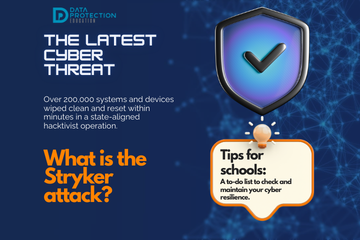
What is the Stryker cyber attack and why should schools be wary?

Getting caught in the Scattered Spider web
Cyber Incident Review: The Benefits
Help after a Cyber Attack/Incident
Mobile device management (MDM) is a crucial aspect of cyber security. Most businesses will use some form of mobile device for every day business tasks. MDM solutions help organisations secure, monitor, manage and support mobile devices such as smartphones, tablets and laptops.
- Data Security - it's important to ensure that data is secure on mobile devices. An MDM can enforce encryption on mobile devices, ensuring that corporate data is protected. If a device is lost or stolen an MDM can help prevent a data breach by remotely controlling or wiping the device.
- Security policies - an organisation is able to enforce strong password policies on all managed devices, which reduces the risk of unauthorised access. It also ensures that mobile devices receive the latest updates, security patches and antivirus software, further improving an organisation's cyber resilience. Administrators can remotely configure devices and push updates out.
- Application management - app installation is controlled, only allowing trusted and approved applications and blocking potentially harmful ones.
- Monitoring and reporting - helps monitor device usage, which will detect and report any unusual or suspicious activity which might indicate a security threat. It also helps meet regulatory compliance, such as data protection law.
- Bring your own device - consider whether you will allow a BYOD policy.
- Threat detection - an MDM solution will detect threats such as malware or phishing attacks and respond in real-time by isolating the device and alerting IT support.
- Geofencing and geolocation - an MDM allows organisations to track the location of mobile devices, which can be used for the retrieval of lost devices. An organisation can also set geographic boundaries.
Other considerations with mobile devices and cyber security are:
- Security - ensure strong passwords, PIN's or biometrics are used for authentication. Ensure they lock automatically.
- Encryption - enable encryption on devices to protect data stored locally, although uploading to the cloud is recommended.
- App security - regularly remove and manage apps, security, updates and only allow downloads from trusted sources.
- Operating system update -ensure there is a policy for regular system updates.
- Network security - discourage the use of public Wi-Fi and use VPN's where possible.
- Phishing - ensure staff are trained in recognising phishing attacks.
- Lost or stolen devices - have a procedure to remotely wipe data on a device. Utilise any built-in tracking procedures.
Mobile devices are powerful tools, but they also introduce significant cybersecurity risks if not managed properly. By considering and implementing these security measures, individuals and organisations can protect sensitive data, reduce the risk of cyber attacks, and ensure secure mobile device usage.
Consider booking a 'Making the Rounds', data walk, with your school consultant when they will ask questions about your mobile devices.
Knowledge Bank Best Practice
Related best practice areas:
Knowledge Bank Articles
Product Focus on Checklists : Bring your own device

Windows 11 security ineffective against attacks on old devices
Multi-factor authentication (MFA) is an additional layer of security used to protection online accounts beyond just a username and password. It requires users to provide two or more verification factors to gain access, making it much harder for unauthorised users to gain access.
How MFA Works:
MFA usually involves combining two or more of the following types of authentication:
- Something You Know: i.e. your password or PIN.
- Something You Have: such as a physical device, i.e. receiving a special code via a text message to your phone.
- Something You Are: biometric verification, i.e. fingerprint, facial recognition etc.
Knowledge Bank Best Practice Areas
You should also review the following best practice areas:
Knowledge Bank Articles
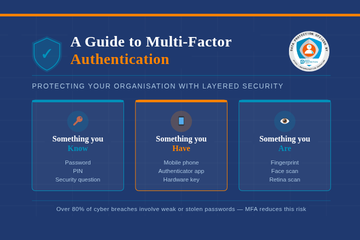
A guide to multi-factor authentication

MFA Bombing - What is it?
Effective network security protects the network, systems and data from unauthorised access.
Network security:
- Confidentiality - ensures that information is only accessible to those that are authorised to view it.
- Integrity - protects data from being altered. Consider 'one version of the truth', for example, when there are multiple copies of the same document how do you verify integrity of the document?
- Availability - ensures that information and resources are available to users when needed.
There are various components to network security:
- Firewalls
- Intrusion detection systems
- Virtual Private Networks
- Anti-virus and Anti-Malware
- Encryption
Access Control
- Authentication - verifying the identity of users or devices before allowing access to the network.
- Authorisation - determines what resources and services users are permitted to access. There should be an procedure to authorised this in the organisation.
- Least privilege - users should only be given access to what they require in order to perform their tasks
Network Segmentation
If you are a large organisation you may need to segment your network to provide the appropriate access. All organisations should provide a specific guest area which has limited systems and resources.
Monitoring
The network should be regularly monitored and checked. It should be scanned for vulnerabilities regularly.
User Awareness and Training
Staff should be educated on security best practices and know how to recognise phishing attacks. Strong passwords should be used and devices should be kept secure. Regular training is needed to move with the ever-changing cyber landscape.
Knowledge Bank Best Practice
Related best practice areas:
Knowledge Bank Articles
No item found!
Consider the following password best practice:
- Length and complexity.
- Unique passwords - don't re-use passwords.
- Password managers- they can generate long, unique passwords and store them securely.
- Enable multi-factor authentication because this adds an additional layer of security. You may need to speak to your IT support to enable this.
- Regularly update your password, especially for sensitive accounts.
- Don't share passwords or write them down.
- Beware of phishing attacks that may try to steal your password.
Knowledge Bank Best Practice
Related best practice areas:
Knowledge Bank Articles
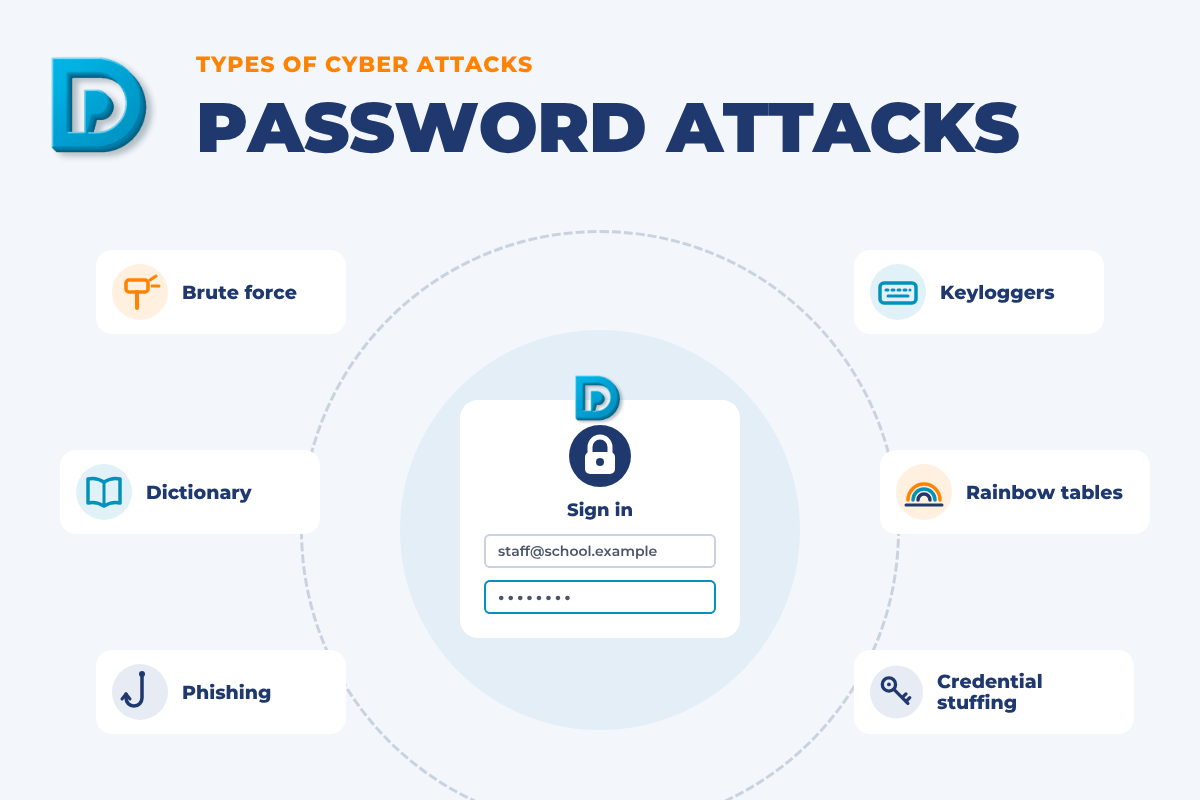
Types of Cyber Attacks: Password Attacks
A guide to multi-factor authentication
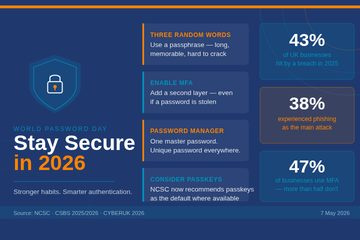
World Password Day
Keeping your organisation secure in a changing authentication landscape
Product Focus on Checklists : Passwords
Keeping your IT systems safe and secure
This table shows the advice from the I...

Why we recommend using PIN codes on printers
Usi...
Types of Cyber Attacks: Phishing
Types of Cyber Attacks: The Insider Threat
How a school fought back after a cyberattack

January Cyber update - How Can Schools Help Prevent Cyber Attacks?
Physical security is an often forgotten element of cyber security and cyber resilience. Physical security measures help to protect the physical infrastructure that underpins the network and systems. Considerations:
- Access Control - have secure entry points with control systems such as keycards, biometric scanners or PIN codes to sensitive areas like offices and server rooms. Consider the use of visitor management sign in systems to monitor and control access for non-employees.
- Surveillance - installing CCTV at strategic locations will help to monitor unauthorised access and suspicious activities.
- Environmental controls - review what the climate requirements are for IT equipment to prevent hardware damage or failure.
- Physical barriers - lock cabinets, doors and windows to prevent unauthorised access. Review who might have access to an area when staff have gone home.
- Data destruction - secure disposal of old and decommissioned hardware should follow regulatory compliance. Destruction of paper documents show follow the ICO's confidential waste guidance.
- Audit logs - consider the use of audit logs when sensitive areas are visited.
- Device security - lock up mobile devices and secure USB ports to prevent unauthorised data transfer or malware installs.
Physical security helps to protect the physical assets and infrastructure that supports cyber security, ensuring sensitive data and systems remain secure from both digital and physical threats. By implementing a layered approach to physical security, organisation can significantly reduce the risk of breaches.
Book a 'Making the Rounds', data walk, with your school consultant who will help you look at your physical security of data and systems.
Knowledge Bank Articles
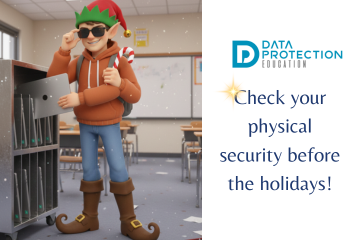
Shareable Snippet: Office Security Best Practices for the Holidays

Lettings Best Practice Area
Product Focus on Checklists : Lettings

Lettings Best Practice and Guidance
Software patch management and updates is about managing the process of testing and installing updates (patches) for software applications and systems. Patch management is crucial for maintaining security, improving performance and ensuring compliance.
Patches are released often to fix vulnerabilities that are already known to hackers, as well as fixing bugs or improving functionality.
As an organisation, it is important to establish a good patch management policy that ensures there is ownership of the process.
Speak to your IT support to understand how patch management work in your organisation if you are responsible for cyber security strategy.
Knowledge Bank Best Practice
Related best practice areas:
Knowledge Bank Articles
The importance of software updates (PaperCut vulnerability and Rhysida ransomware)
Be Cyber Aware: Why regular software updates are important
What are Zero-Day Vulnerabilities
Zero-day vulnerabilities ...
Organisations are increasingly relying on third party suppliers to conduct business. While these relationships are often cirtical for operations, they also introduce additional risks.
- Expanded attack surface - third party suppliers will often require access to an organisation's systems, data or networks to perform their services. This access can become a potential entry point for cyber criminals if not properly managed and secured. With the number of increased third parties, so does the complexity of the organisation's overall security landscape.
- Data breach risks - thid party suppliers may handle sensitive or confidential data on behalf of the organisation. As part of data protection regulatory compliance, you should check that the supplier you are passing data to (the processor) has robust technical measures in place.
- Supply chain attacks - third party suppliers are often targets to gain access to a larger organisation's network. These supply chain attacks can be highly sophisticated and difficult to detect, as they exploit the trust between an organisation and its third parties.
- Regulatory compliance - data protection compliance requires transparency of any processing of data by a third party. An organisation should conduct due diligence on any third party suppliers. This information should also be communicated via privacy notices. The due diligence should be completed before engaging with any third party, and only necessary data should be shared.
As your data protection officer, we can conduct due diligence on a third party supplier on your behalf. Email
Check our generic third party list for any completed due diligence:
Knowledge Bank Best Practice
Related best practice areas:
Knowledge Bank Articles

DfE Guidance: Choosing an MIS | The DPO lens on the commercial guidance
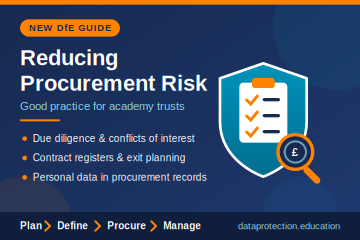
DfE Procurement Risk Guide: Due Diligence and Data Protection for Trusts | DPE
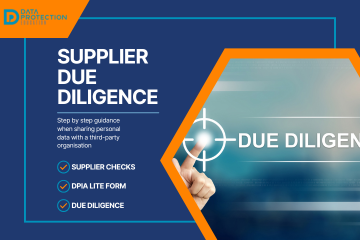
Supplier Due Diligence Step by Step: Are you sharing personal data with a third party organisation?
Supplier due diligence is about the contracts between controllers and processors. As a controller you determine the purpose and means of the proc...
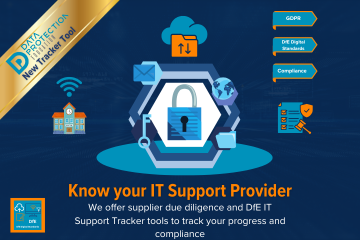
Is your IT Support Provider Compliant?

The Multiple Dimensions of Supplier Due Diligence
Contracts Register

ICO Reprimands a School
Product Focus on Checklists : Supplier Due Diligence
Product Focus on Checklists : DPIA

How the Record of Processing Can Help You
The top ten different types of cyber attacks in the UK:
Phishing attacks involve fraudulent emails, messages, or websites designed to trick individuals into revealing sensitive information like passwords or financial details. These attacks are widespread and often serve as the entry point for more significant breaches.
Knowledge Bank Articles
Cyber Alert: Surrey and Sussex Schools Targeted by Phishing and Ransomware Attacks
Alert: Schools receiving Microsoft File Sharing Phishing Emails
Phishing attacks targeting schools - alert from City of London Police
Cyber Crime: AI Generated Phishing Attacks
Types of Cyber Attacks: Phishing
Ransomware encrypts a victim’s data and demands payment, usually in cryptocurrency, for the decryption key. This type of attack has affected various sectors, including healthcare, education, and businesses.
Knowledge Bank Articles
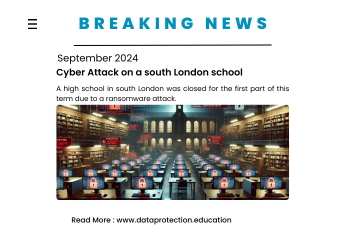
Ransomware cyber attack on a school in Bromley
Update on Advisory for Rhysida Ransomware
International Counter Ransomware Initiative 2023 Joint Statement
ICO Reprimand: company suffered a ransomware attack
The importance of software updates (PaperCut vulnerability and Rhysida ransomware)

VICE SOCIETY - Ransomware attacks on schools
DDoS attacks overwhelm a targeted website or service with excessive traffic, causing it to become unavailable. These attacks are often used to disrupt services and can be devastating for businesses reliant on online operations.
Knowledge Bank Articles
Types of Cyber Attacks: DDos Attack (Microsoft DDoS Attack in June)
Types of Cyber Attacks: DDoS Attacks
A DoS attack is a denial of service attack. It occurs when users are denied access to computer services ...
Malware refers to malicious software designed to damage, disrupt, or gain unauthorised access to computer systems. Common types include viruses, worms, trojans, and spyware. Malware can steal sensitive information, spy on users, or corrupt data.
Knowledge Bank Articles
Types of malware and how they are linked to data protection
 |
Malware can be used to steal or compromise sensitive data stored on a compute... |
Insider threats occur when employees or other insiders with access to sensitive data misuse their privileges to steal or compromise information. This can be intentional or accidental, and it is challenging to detect.
Knowledge Bank Articles
Types of Cyber Attacks: The Insider Threat
Social engineering attacks manipulate individuals into performing actions or divulging confidential information. These attacks often exploit human psychology rather than technical vulnerabilities..
APTs are prolonged and targeted cyber attacks where attackers gain unauthorised access to a network and remain undetected for an extended period. These attacks are often state-sponsored and aimed at stealing sensitive data.
MitM attacks occur when attackers intercept and potentially alter communication between two parties without their knowledge. This can lead to data theft, manipulation, or eavesdropping on confidential conversations.
This type of attack involves using stolen or leaked username and password combinations from one breach to gain unauthorised access to other accounts. Since many users reuse passwords, credential stuffing is highly effective.
Knowledge Bank Articles

Types of Cyber Attacks - Credential Stuffing
Supply chain attacks target the weaker links within an organisation’s supply chain, such as third-party vendors, to gain access to the primary target. These attacks are difficult to detect and can lead to widespread compromise.
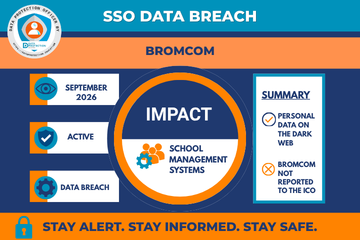
Bromcom SSO Data Breach | DPE
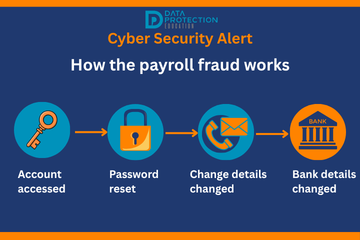
Payroll Fraud Alert: Schools Urged to Secure Staff Accounts After Thames Valley Attacks
The DfE Cyber Attack: What Schools Should Look Out For Next Term

Cyber Attack : LockBit 5.0 Targets a Primary School

When Cyber Risk Becomes Reality: Lessons from the Powys School Attack
On 4 June 2026, Powys County Council confirmed that a cyber security incident had resulted in the theft of personal data belonging to pupils, staff, and others connected to schools in mi...
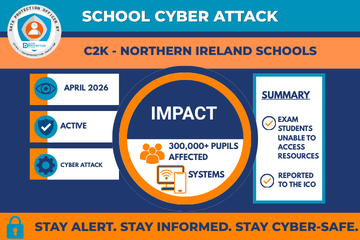
How were schools and pupils affected by the C2K cyber attack?
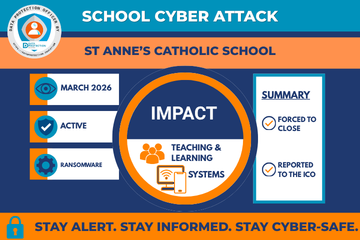
School Cyber Attack: St Anne's Catholic School
School Cyber Attack: Higham Lane School Hit by Major Cyber Attack: Campus Remains Closed

We've teamed up on a podcast with the Small Business Cyber Security Guy
Nursery Cyber attack
The Online SCR Data Breach: What You Need to Know
School closes for two days after cyber incident

School cyber attack: Outwood Academy, Middlesbrough
Alert: Schools receiving Microsoft File Sharing Phishing Emails
School cyber attack: Framlingham College, Suffolk

West Lothian Schools in Cyber Attack
A Wake-Up Call for Cyber Vigilance - Danger in the Threat Landscape for Everyone
Blacon High School Cyber Attack
South East Technological University has experienced a cyber incident
Cyber Attack on a Special School
What's a Cyber Incident and what should we do?
What is the Stryker cyber attack and why should schools be wary?
Getting caught in the Scattered Spider web
Cyber Incident Review: The Benefits
Help after a Cyber Attack/Incident
Sustaining Cyber Resilience | October 31
Incident Management and Escalation When a Cyber Attack Occurs | October 30
Backups. Your Recovery Safety Net | October 29
Hardware & Physical Security – Disposal, Printers & Repurposing | October 28
Asset Management and Tracking Every Device on Your Network | October 27
Anti-Malware & Endpoint Defence – Real-Time Protection | October 26
Regular Updates and Patching | October 25
Cyber security in schools: questions for governors and trustees | October 24
Cyber Career Week: IT Support & Technical Leads | October 23
Cyber Career Week: The Data Governance Lead (Where Cyber Meets Compliance) | October 22
Cyber Career Week: The Headteacher & SLT Roles | October 21
Cyber Career Week: A Day in the Life (CEO to IT Support) | October 20
Cyber Career Week: Who's Actually Responsible for Cyber? | October 19
Filtering & Monitoring: Safeguarding the Digital Boundary | October 18
Perimeter & Gateway Security: Firewalls & Network Isolation | October 17
Access Control: Remote Working | October 16
Access Control: Admin Accounts | October 15
Policies & Blueprint: The DfE Cyber Security Framework October 14
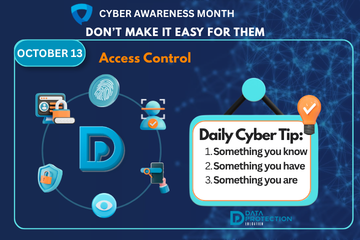
Access Control: MFA, SSO and Passkeys | October 13
Preventing Ransomware | October 12
No item found!
Free short cyber training for staff
Free Cyber help, advice and training with the Cyber Resilience Centres
Free cyber training for staff
Data Protection and Cyber Security (Inset Day) Training Ideas

CISA and UK NCSC Announce Joint Guidelines for Secure AI System Development
Cyber Alert: Surrey and Sussex Schools Targeted by Phishing and Ransomware Attacks
Alert: Schools receiving Microsoft File Sharing Phishing Emails
Phishing attacks targeting schools - alert from City of London Police
Cyber Crime: AI Generated Phishing Attacks
Types of Cyber Attacks: Phishing
Ransomware cyber attack on a school in Bromley
Update on Advisory for Rhysida Ransomware
International Counter Ransomware Initiative 2023 Joint Statement
ICO Reprimand: company suffered a ransomware attack
The importance of software updates (PaperCut vulnerability and Rhysida ransomware)
VICE SOCIETY - Ransomware attacks on schools

Top Ten Cyber Security Misconfigurations
Types of Cyber Attacks: Password Attacks
Types of Cyber Attacks: DDos Attack (Microsoft DDoS Attack in June)
Types of Cyber Attacks: DDoS Attacks
A DoS attack is a denial of service attack. It occurs when users are denied access to computer services ...
Types of Cyber Attacks: Phishing
Types of Cyber Attacks: The Insider Threat
Types of malware and how they are linked to data protection
|
Malware can be used to steal or compromise sensitive data stored on a compute... |
Types of Cyber Attacks - Credential Stuffing
How can we prevent a cyber attack from phishing?
A multi-layered approach can improve your resilience against phishing. It is important not to miss opportunities to detect a phishing attack and stop it before it causes major harm.
- Make it difficult for attackers to reach users: filtering/blocking (regularly updated), what information is readily available, implement anti-spoofing controls
- Help users identify and report suspected emails: train staff regularly, ensure staff can easily report issues
- Protect your organisation from the effects of undetected phishing emails: use two/multi factor authentication, use a proxy server, use anti malware/anti virus software
- Respond to incidents quickly: define and practice an incident plan, encourage users to report suspicious activity
Further information and help and advice: NCSC
If you think an email could be a scam, you can report it by forwarding it to:
What does cyber mean?
"Cyber" is a term that refers to the use of technology, particularly the internet, for various purposes such as communication, commerce, entertainment, and information sharing. It is often used in the context of cybersecurity, which is the practice of protecting computer systems and networks from digital attacks, unauthorized access, and other online threats. The term "cyber" has evolved over time, and can also be used to describe various aspects of the digital world, such as cybercrime, cyberwarfare, cyberbullying, and cyberspace.
What is a vulnerability?
A vulnerability is a weakness is an IT system that can be exploited by an attacker/hacker. They can be flaws, features or user error.
Flaws
A flaw may be as a result of poor design or through mistakes made through implementation and may go undetected. The majority of attacks we see today exploit these types of vulnerabilities.
Features
A feature is intended functionality which can be misused by an attacker to breach a system.
User Error
User can be the intentional/unintentional vulnerability perhaps by making mistakes by using easily guessed passwords or leaving their device unlocked.
What is cloud computing?
Cloud computing is the delivery of computing services - including servers, storage, databases, networking, analytics and intelligence over the internet ('the cloud') to offer faster innovation, flexible resources and economies of scale. Your data will be stored in physical data centres owned by the cloud company in various locations.
What is malware?
Malware, short for malicious software, is any software designed with malicious intent to harm a computer system, device, network, or user. Malware can take many forms, including viruses, worms, Trojan horses, ransomware, adware, spyware, and more.
Malware can be spread in various ways, such as through infected email attachments, malicious websites, or by exploiting vulnerabilities in software or systems. Once installed, malware can carry out a wide range of malicious activities, including stealing sensitive data, damaging or destroying files, hijacking the computer or device, and using it for unauthorized purposes.
Malware can be a serious threat to individuals, businesses, and governments, as it can lead to financial losses, data breaches, and other harmful consequences. Therefore, it is important to take measures to protect against malware, such as keeping software up-to-date, using antivirus software, and being cautious when opening email attachments or clicking on links from unknown sources.
What is MFA? (Multi Factor Authentication)
MFA stands for "multi-factor authentication." It is a security measure that requires users to provide multiple forms of identification in order to access a system or account.
Traditionally, the most common form of authentication is a username and password. However, this method can be vulnerable to various types of attacks, such as phishing or brute force attacks. By requiring additional factors of authentication, MFA adds an extra layer of security and makes it more difficult for unauthorized individuals to access an account or system.
There are several types of factors that can be used in MFA, including:
- Something you know, such as a password or PIN
- Something you have, such as a physical key or a code sent to your phone
- Something you are, such as a biometric scan (e.g. fingerprint or facial recognition)
By combining multiple factors, MFA significantly increases the security of an account or system.
What is Phishing?
Phishing is online fraud that involves tricking people into providing sensitive information such as passwords or identity details by pretending to be a trustworthy source. Phishing can be done through email, social media or malicious websites.
A phishing email could contain a malicious attachment or links to malicious websites.
What is email Phishing?
Most phishing attacks are sent via email. Attackers typically register fake domain names that mimic real organisations and send thousands of common requests to victims. Many phishing emails use a sense of urgency, or a threat, to cause a user to comply quickly without checking the source or authenticity of the email.
What is Spear Phishing?
Spear phishing targets a specific group of individuals. The attacker typically already has a lot of information about the victim.
What is Whaling?
Whaling attacks target senior management and other highly privileged roles. Senior employees commonly have a lot of information in the public domain, and attackers can use this information to craft highly effective attacks.
What is Smishing and Vishing?
This is a phishing attack that uses a phone instead of written communication. Smishing involves sending fraudulent SMS messages, while vishing involves phone conversations.
What is Angler Phishing?
These attacks use fake social media accounts belonging to well known organisations. The attacker uses an account handle that mimics a legitimate organisation.
What is the dark web vs deep web?
The dark web is part of the internet that isn't visible to search engines. The deep web and dark web are not the same. The deep web refers to anything on the internet that is not indexed by, and therefore, accessible via a search engine. Deep web content includes anything behind a paywall or requires sign-in credentials. Medical records and membership websites are examples of what makes up the deep web.
The dark web is a subset of the deep web that is intentionally hidden. It requires a specific browser, Tor, to access it.
What is the difference between a virus and anti-virus software?
A computer virus is a type of malicious software (malware) that is designed to replicate itself and spread from one computer to another. It can infect a computer and cause harm to the system by deleting files, stealing personal information, corrupting data, and even rendering the system inoperable.
Viruses can be spread through various methods, such as email attachments, infected software downloads, and malicious websites. Once a virus infects a computer, it can spread to other computers on the same network or via removable storage devices like USB drives.
To protect your computer from viruses, it is essential to use up-to-date antivirus software and keep your operating system and applications updated with the latest security patches. It is also important to be cautious when opening email attachments or downloading software from unfamiliar websites.
Antivirus software, also known as anti-malware software, is a type of software designed to detect, prevent, and remove malicious software from a computer or network. It works by scanning files and programs for known malware signatures, behavior patterns, and other indicators of malicious activity.
Antivirus software can protect your computer from various types of malware, including viruses, worms, Trojan horses, ransomware, spyware, and adware. It can also prevent phishing attacks and block malicious websites.
Most antivirus software works by running in the background of your computer, constantly monitoring for suspicious activity and scanning files as they are downloaded or opened. If the software detects malware, it will either quarantine or delete the infected files.
It is important to keep your antivirus software up-to-date to ensure it can detect and protect against the latest threats. Many antivirus software programs also offer additional features, such as firewalls, parental controls, and system optimization tools.
What should we do in the event of a cyber attack?
Unplug the computer from the internet by removing the ethernet cable or turning the Wi-Fi off.
If you are a victim of a ransomware attack we would recommend reporting this to:
Action Fraud: https://www.actionfraud.police.uk/ as well as your data protection officer so they can advise about the data loss or our local police and ask for the cyber crime team or phone 101 and ask for the cyber crime team.
Most cyber crimes like these will also need to be reported to the ICO by your data protection officer. Our customers should email
Isolate the infected device and pass to IT
Always ensure there are backups you can restore from.
Preserving evidence is as important as recovering from the crime.
Forward suspicious emails to
Where can I report phishing emails?
Remember to also report to your own IT department so that they can block the sender.
If anyone has entered credentials on receipt of a phishing email further investigation may be needed as a crime may have been committed.