Schools & MATs

hand holding a mobile phone with social media icons on it. Litus Digital logo and Data Protection Education logo. Guardians of Privacy: Navigating social media in educational settings in blue text.  A series of articles about social media, privacy and schools in black text.  Coloured pencils at the bottom

This article is one of a series written by Data Protection Education in collaboration with Litus Digital, a social media management company.  The articles came about from questions asked by Data Protection Education's customers, our own experience of working in education,  as school governors, parents and data protection professionals.  The articles raise questions about how social media can be used as safely as possible in a school environment,  security considerations, the law and protecting children.  It is not possible to cover every aspect of social media, but the articles aim to provide guidance, raise privacy questions and provide some support for safe posting.

Phishing in blue text on a computer screen background which is black

The City of London Police is warning schools across the UK to be vigilant against phishing attacks targeting school networks. Multiple schools have reported receiving suspicious emails containing malicious attachments that have infected their networks with malware.

Once infected, the school's email systems are used to send malicious attachments to other schools.

You don't have a pdf plugin, but you can download the pdf file.


Help and Advice against Phishing:

Cyber Attack


NCSC Guidance Phishing Attacks: defending your organisation


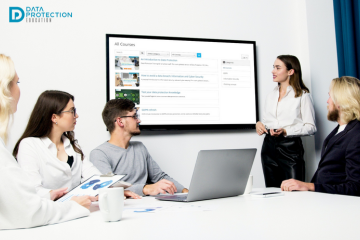
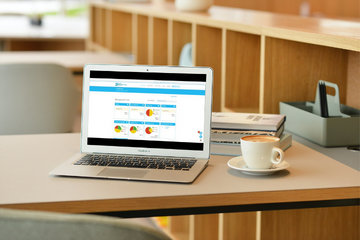
Hands typing on a laptop. Laptop screen shows view of the Compliance manager which is part of the Data Protection Education Knowledge Bank portal.

We launched our Schools Best Practice area at the beginning of this term which includes specific guides and support for schools.  There is also a specific area for Trusts and the Central Team.  The Trusts Central Team section is a specific area for additional requirements and guidance for the central team of a trust and should be used in conjunction with the other tabs in the best practice area.  

Lettings and Best Practice in Blue text, hand dangling a bunch of keys. Data Protection Education DPO badge in the bottom left

During our data walks we are looking at data breach risks, in terms of 'Who has access to what data?'.  As part of our walk we may ask who has access to the school other than the employees and children attending, for example, Lettings.  As Lettings usually occur outside of the school working day, physical security can be overlooked or not thought about and so raises the risk of a data breach.  This article is launching our Lettings Checklist for schools which is shown at the end of this article.

Childrens hands showing their palms each with a letter from the word 'Safety'. Blue text: "Online Safety Act Becomes Law"

The UK Online Safety Bill became law on Thursday 26th October.  The UK Government says the Online Safety Act will protect people, particularly children, on the internet.  The Act should make social media companies keep the internet safe for children and give adults more choice over what they see online.  Ofcom will immediately begin work on tackling illegal content and protecting children's safety.

grey computer keyboard with blue key with white text:'Data Migration'

Moving MIS is a daunting task and is no small undertaking for a school. Moving to the cloud from a legacy system means that there are cyber security benefits but may be something new to your organisation. There is often the assumption that the new MIS porvider will seamlessly migrate the data for you, however there is a considerable amount of work that the school must do beforehand in order to make this happen.  This article provides some practical guidance and considerations.

Search