- Tammy Buchanan
- Best Practice Updates
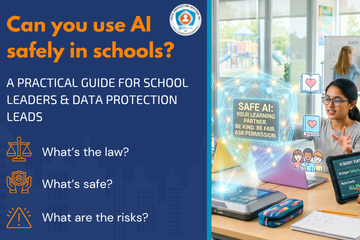
Can you use AI safely in schools?
ChatGPT, Gemini, Copilot and Data Protection
A Practical Guide for School Leaders and Data Protection Officers
ChatGPT, Gemini, Copilot and Data Protection
A Practical Guide for School Leaders and Data Protection Officers
This article combines guidance from the Guardians of Privacy series, produced by Data Protection Education in collaboration with Litus Digital, with urgent new advice issued in May 2026 following confirmed blackmail attempts against UK schools using AI-manipulated images of children. Key sources include the UK Safer Internet Centre (8 May 2026) and the Internet Watch Foundation.
Navigating the entry requirements for educational settings can sometimes be confusing for both the school and the visitor. To ensure a smooth, secure, and legally compliant process, it is essential to balance safeguarding requirements with data protection principles and DfE guidance.
Following the popularity of our recent CCTV webinar, we've published some pointers for headteachers, governance professionals, head of operations and estates managers about CCTV compliance.
We discuss the legal obligations and common pitfalls of CCTV surveillance under the UK GDPR and Data Protection law.
To operate CCTV lawfully, organisations must move beyond just installing camera.
Placing cameras in or near private areas carries extreme legal risk under the Human Rights Act 1998.
Mistake |
Fix |
|
No DPIA
|
Conduct an assessment for existing systems immediately. |
|
Wrong Lawful Basis
|
Update policies appropriately. |
|
Outdated Policy
|
Review CCTV policies annually; include 2025 Act updates. Conduct a DPIA for new CCTV systems. |
|
Poor Signage or No Signage
|
Ensure signs list the operator, purpose, and contact details at appropriate locations. Someone should know they are being filmed! |
|
Excessive Retention
|
Stick to 14–28 days; set up auto-overwrite. Ensure your ACTUAL retention period meets your DOCUMENTED retention period in your retention/CCTV policy. Review our article: The importance of knowing how to access your CCTV footage! Ensure your footage is long enough to cover a holiday period in the event of a SAR receipt. Deleting footage relating to a SAR could be a criminal offence (Section 173 Data Protection Act 2018). |
|
Audio Recording
|
Disable it. Audio capture is rarely justifiable in schools. |
|
No Access Log
|
Record every time footage is viewed, by whom, and why. |
|
SAR Mishandling
|
Respond within one month; redact third parties in footage. You will likely need specialised redaction software. Contact DPE for more advice on CCTV redaction. |
|
Neighbour Privacy
|
Use digital masking to avoid filming residential properties. Ensure you know what your camera is recording. |
|
Late DPO Involvement |
Consult your DPO before making system changes. |
Appoint/Consult a DPO for all CCTV decisions.
Layer your notices: Short signs at entrances, full policy on the website.
Be transparent: Tell parents and staff why and where cameras are used.
Report Breaches: If footage is lost or misused, you must notify the ICO within 72 hours.
Contact for Support: Data Protection Education provides DPO services, DPIA templates, and redaction support. Email:
This email address is being protected from spambots. You need JavaScript enabled to view it. | Phone: 0800 0862018
DPE customers have access to the CCTV Best Practice Area which includes signs, template policies and guidance. We can also do a review of the CCTV when visiting during our data walks (Making the Rounds) or we can come and do a full CCTV Audit. Customers may also choose to complete the CCTV Checklist as part of their compliance documentation.
The DfE has announced a new update to the DfE Digital Cyber Security Standards for Schools and Colleges.
The DfE Wireless Networks is part of the DfE Digital Standards guidance and has recently been updated to include references to Wi-Fi7. You must check with this standard before you plan any Wi-Fi upgrades!
There is a now clear guidance that specifies that any new wireless solution or upgrade must, at a minimum, meet the Wi-Fi 8 standard.
Wi-Fi 7 provides significantly higher throughput and lower latency. In a classroom where 30 students might simultaneously stream high-definition educational videos or engage in augmented reality (AR) lessons, Wi-Fi 7 ensures the connection remains stable and fast.
| The Wireless Network Standard is part of the set of DfE Digital Standards and one of the main core six which the DfE require schools to be meeting by 2030. |
The core sections are:
| Feature | Standard Requirement |
| Minimum Standard | Wi-Fi 7 (802.11be) |
| Authentication | WPA3 / Certificate-based / MFA for admins |
| Coverage | 100% of learning and admin areas (verified by heat maps) |
| Management | Centralized, manufacturer-approved management tool |
| Resilience | Manufacturer warranty and 24/7 support arrangements |
Whenever you upgrade or change your current Wireless Network, review the latest guidance in the DfE Wireless Network Standards to ensure you are meeting the standard.
You should upgrade or change your network if it is no longer meeting your device requirements.
If you're unclear about where to start with this, we would advise initially assigning an SLT digital lead in your organisation and work from there. The responsibility of meeting the standard lies with the school, it is up to you to ask your IT provider if you are meeting the standard and how to meet the standard. The DfE Digital Standards are a series of standards in document form that help you work towards being cyber resilient in all aspects of the organisation.
Making the Rounds: we will ask some of these questions when we come and visit your school or trust as part of our Making the Rounds or data walk. We will then provide feedback via a report.
🔄☁️ Having a robust backup is being prepared against data loss and data theft. March 31st is World Backup day to remind everyone of the importance of having a robust and accessible backup.
St Anne's Catholic School in Southampton has been forced to close four days after a cyber attack.
We're pleased to share our Acceptable Use Policy & Agreement for volunteers in response to our customer's requests.
This policy ensures the volunteers in your organisation use school technology responsibly and protect the personal data of pupils and staff.
We typically see a spike in Subject Access Requests (SARs) at the end of term. Understanding how to recognise and response to these requests is vital for staying compliant with Data Protection Law.
A paper archive is a physical collection of documents, records and contracts stored in their original hard-copy form. This article discusses best practice guidance for keeping records, safe, secure and accessible - an archive is much more than just a 'storage unit'.
Schools are increasingly required to manage sensitive information in ways that balance transparency, fairness, and data protection. One area that frequently creates confusion is the difference between redaction undertaken for a Subject Access Request (SAR) and redaction applied when preparing documentation for a Permanent Exclusion (PEX) Review Panel. The Redaction Guide for PEX Panels has been introduced to address this issue and provide clear, practical guidance for staff.
©2026 Data Protection Education Ltd.