Knowledge Bank Updates

This articles lists the latest updates and new documents to the Knowledge Bank.

Types of malware and how they are linked to data protection

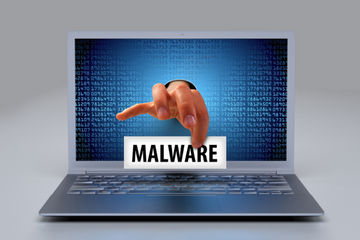
Malware is malicious software designed to harm computer systems and is linked to data protection in several ways.

Malware can be used to steal or compromise sensitive data stored on a computer system or network. This data could include personal information, financial data, or confidential business information. In this sense, malware poses a significant threat to data protection, as it can lead to data breaches and other security incidents.

Malware can be used to destroy or corrupt data, making it inaccessible or unusable. This can be particularly damaging if the data is important or essential for business operations, and can result in financial losses, reputational damage, and legal liabilities. 

Malware can be used to exploit vulnerabilities in computer systems or networks, potentially enabling attackers to gain unauthorized access to data or systems. This can result in data theft or other malicious activities, and can also compromise the security and privacy of individuals or organizations. 


Name What it is What it Does & How it infects  Examples
A type of malicious software that rapidly replicates and spreads to any device on a network.  Worms do not need a host program to spread.   A worm infects a device through a downloaded file or a network connection before it multiplies and spreads at an exponential rate.

Famous worms: Conficker, CodeRed, Morris Worm, Stuxnet

Further guidance on worms

  A trojan virus is disguised as a helpful software program.  The user downloads it, then the Trojan can gain access to sensitive data and then modify, block or delete data.  It can be extremely harmful to the performance of the device.  They are not designed to self-replicate,  Zeus Gameover mostly used for stealing victim's bank information.
  Spyware is malicious software that runs secretly on a computer in the background and reports back to a remote user.    It targets sensitive information and can grant remote access to predators. It is often used to steal financial or personal information Keylogger - records your keystrokes to reveal passwords and personal information.
   Adware is malicious software used to collect data on your computer usage and provide appropriate adverts to you. Adware is not always dangerous but can cause issues for your system.  Adware can redirect your browser to unsafe sites and it can even contain Trojan horses and spyware.  Significant levels of adware can slow down your system noticeably.

Appearch is a common adware program that acts as a browser hijacker.  It is usually bundled with free software and inserts so many ads into the browser that it makes surfing almost impossible. 

   Ransomware is malicious software that gains access to sensitive information within a system, encrypts that information so that the user cannot access it, and then demands a financial pay-out for the data to be released.  Ransomware is usually part of a phishing scam. By clicking a link the user downloads the ransomware.  The attacker then proceeds to encrypt specific information that can only be unlocked with a special code.   Cryptolocker was one of the first examples. Fake Windows Updates. The VICE Society attacks schools.

Malware is closely linked to data protection, as it poses a significant threat to the confidentiality, integrity, and availability of sensitive data. Effective measures to prevent, detect, and respond to malware attacks are essential for ensuring data protection and maintaining the security of computer systems and networks. 

Check  your cyber resilience using our Information and Cyber Security Checklists

Visit our Information and Cyber Security Best Practice Area for support and guidance.

What to do in the event of a Cyber Attack 

Incidents or attacks where any security breaches may have taken place, or other damage was caused, should be reported to an external body. 

The SLT digital lead will be responsible for assigning someone to report any suspicious cyber incidents or attacks. This person will need to report this to: 

  • Report Fraud on 0300 123 2040, or the Report Fraud website 
  • the DfE sector cyber team at This email address is being protected from spambots. You need JavaScript enabled to view it. 

You may also need to report to: 

You must act in accordance with: 

Police investigations may find out if any compromised data has been published or sold and identify the perpetrator. 

Preserving evidence is as important as recovering from the crime.

Forward suspicious emails to This email address is being protected from spambots. You need JavaScript enabled to view it.. Report SMS scams by forwarding the original message to 7726 (spells SPAM on the keypad).
Little Guide to ACTION FRAUD


Striking Data Breach

The headteacher of a grammar school has left her role after sending parents a list of the teachers going on strike.

The Headteacher at King Edward VI Five Ways Grammar school in Birmingham  had been headmistress for just 18 months when an email she sent to parents is alleged to have named some teachers who would be striking during the planned walkouts last month.

IPR Protection Email Scam

A number of schools have received the below email from a company called IPR Protection.  It is a scam and should be ignored.  

Further information can be found here: https://www.aptma.ie/news-and-events/beware-of-scam-emails

It may be advisable to ask your IT department to block any emails from This email address is being protected from spambots. You need JavaScript enabled to view it.

Windows Server 2012 & 2012 R2 Retirement

This article is a reminder that Microsoft will stop support for both Windows Server 2012 and Windows Server 2012 R2 after October 10th 2023.  Keeping software up to date on devices is best practice to help prevent cyber attacks and data breaches.

How to contact us for support, subject access requests, data breaches and FOI's

This article lists the ways that Data Protection Education can be contacted for general data protection queries, data breaches, subject access requests and freedom of information requests.

While all our customers have a dedicated consultant who can be contact directly, if there is an urgent issue we would always advise emailing This email address is being protected from spambots. You need JavaScript enabled to view it..

When you email This email address is being protected from spambots. You need JavaScript enabled to view it. a ticket in our Knowledgebank will be automatically created and you will receive an email notification of this.  The ticket can then be seen by all members of the Data Protection Education team which then means the person most suitable to your ticket query can provide an answer.

How do I update the ticket I raised?

If you email a reply to the original email notification or any updates you received, then the ticket will be automatically be updated and is something we would recommend. If you send a new email to This email address is being protected from spambots. You need JavaScript enabled to view it. then a new ticket will be created.  There is currently no way for us to merge tickets, so replying to the original email notification is helpful.

You could also login to the Knowledge Bank:

https://dataprotection.education/

and update your ticket directly with the information.

How do I tell DPE about data breaches/subject access requests/freedom of information requests?

How to add a Subject Access Request:

By logging a subject access request on the Knowledge Bank as soon as you receive it, we can guide you through the process and give any additional support and advice.

Login to the Knowledge Bank and go to 'Data Rights Log', select the white text in the title bar. Choose  on the next screen to add a new data breach log. Then complete as much detail as you can in the data       breach form.


You can also report a subject access request by emailing This email address is being protected from spambots. You need JavaScript enabled to view it. which will raise a ticket but it will not add it to the data rights log. We always recommend that a subject access request is added to the data rights log where possible.


How to add a Data Breach:

The ICO says you must keep a record of any personal data breaches, regardless of whether you are required to notify them.  Logging those breaches in the DPE Knowledge Bank is a good way of keeping a record that your DPO can access and advise on.

Login to the Knowledge Bank and go to 'Breach Log', select the white text in the title bar. Choose  on the next screen to add a new data breach log. Then complete the form with as much detail as you can.


You can can also report a data breach by emailing This email address is being protected from spambots. You need JavaScript enabled to view it. which will raise a ticket but it will not add it to the data breach log. We always recommend that a data breach is added to the breach log where possible.

How to add a Freedom of Information (FOI) Request:

By logging a freedom of information request on the Knowledge Bank as soon as you receive it, we can guide you through the process and give any additional support and advice.

Login to the Knowledge Bank and go to 'FOI Log', select the white text in the title bar. Choose  on the next screen to add a FOI. Complete as much detail as you can in the form.

You can also raise a ticket to ask for advice about an FOI by emailing This email address is being protected from spambots. You need JavaScript enabled to view it. which will raise a ticket but it will not add it to the data breach log. We always recommend that a data breach is added to the breach log where possible.  Often advice and updates about current FOI's are posted on our news page:

https://dataprotection.education/news-top/news

It is also possible to contact us on: 0800 0862018


How a school fought back after a cyberattack

The following article talks about how a school thwarted a cyber attack, more through luck than judgement.  Our advice is for the whole organisation to be cyber aware and review how your organisation might respond when attacked.    The article gives ideas on how to begin making a cyber ready plan.

In October 2020 Kellett School was subject to a ransomware denial-of-service (DoS) attack orchestrated by a Russian criminal hacker group.  After the attack, a post mortem diagnostic showed that they had most likely got into the school's system through a member of staff clicking on a link in a phishing email, which, because staff had admin rights to their school devices, installed malware on the school system.  The full article can be read here:

 https://www-tes-com.cdn.ampproject.org/c/s/www.tes.com/magazine/leadership/data/how-our-school-fought-back-after-cyberattack?amp

Things to note from this attack:

  • Staff had been given admin access to to their school devices so that they could download any software from home that they needed during the period of home learning.
  • There were no protocols in place to ensure that access to the school network was limited to current staff.
  • There were no additional controls in place to the creation and deletion of admin accounts.
  • Staff had not been made to change their passwords for years.
  • Shutdowns and updates on school devices had not been forced
  • Staff had never been trained in cyber-awareness

Recommendations:

  • Senior Leadership makes cyber security part of the organisational culture
  • Everyone in the organisation should understand cybersecurity.  The organisation should make use of complex passwords.
  • Policies and procedures should be correctly followed.
  • There should be cyber insurance and emergency support in place
  • There should be an incident response plan
  • There are recommended experts on stand-by for help

Further resources can be found in our Information Security best practice area: 

https://dataprotection.education/index.php/best-practice-library/best-practice/information-security

and our Cyber Security checklist:

https://dataprotection.education/component/tjucm/itemform/cyber-security?id=90881&cluster_id=114

What to do in the event of a Cyber Attack 

Incidents or attacks where any security breaches may have taken place, or other damage was caused, should be reported to an external body. 

The SLT digital lead will be responsible for assigning someone to report any suspicious cyber incidents or attacks. This person will need to report this to: 

  • Report Fraud on 0300 123 2040, or the Report Fraud website 
  • the DfE sector cyber team at This email address is being protected from spambots. You need JavaScript enabled to view it. 

You may also need to report to: 

You must act in accordance with: 

Police investigations may find out if any compromised data has been published or sold and identify the perpetrator. 

Preserving evidence is as important as recovering from the crime.

Forward suspicious emails to This email address is being protected from spambots. You need JavaScript enabled to view it.. Report SMS scams by forwarding the original message to 7726 (spells SPAM on the keypad).

Little Guide to ACTION FRAUD

Assigning courses to staff using to-dos

To assign courses to your staff, we should use the to-do functionality via the Course Assignment and Progress Report.

When we assign a to-do via this report, and the user completes the course, the to-do will be automatically marked as complete in the to-do list. 

How the Record of Processing Can Help You

The Record of Processing can often seem like a daunting process to undertake- but it’s important to view it as exactly that- a process. Documenting the processes your organisation carries out is an ongoing project that you continue to evolve and develop as those processes change. The value you can get out of spending some time and care by completing various ones shouldn’t be underestimated. We’ve spoken to some of the people who have used the RoP tool on the Knowledge Bank, and asked them what they found challenging, and what they found the most useful parts of the tool, in the hope that it will help some of you who may feel that carrying out the Record of Processing is a daunting task.

Information Security Basics: What are VPN's?

VPN’s have become commonplace over the past couple of years, with every content creator out there having at some point been sponsored by Nord VPN (other VPN providers are available). VPN's are mostly used so that we can watch content on streaming platforms that would otherwise be blocked in the UK. However, as well as allowing you to watch Pulp Fiction on Canadian Netflix, VPN’s have excellent security benefits that can help prevent data breaches and cyber attacks

the words data breach in navy, outline of computer, coffee cup and book, outline of books, harry the hacker looking in a filing cabinet, and hacking into a computer

Recently there has been an annual study published by Ponemon Institute (sponsored by Experian) entitled “Is Your Company Ready for a Big Data Breach?”. The study looks at the state of breach preparedness across organisations over a period of a year,

Due diligence process: assessing data protection and security measures for schools' vendor contracts.

At Data Protection Education, we have an ongoing project to assess potential organisations that our schools are either currently contracted with to supply a product or service, or may in the future be in contract with.

The words records management in blue text, harry the hacker looking in a filing cabinet and standing next to a shelf of folders

For most organisations, a lot of thought and care goes into ensuring that when you’re collecting data, you are complying with the relevant data protection legislation- that it’s being collected with consent where required, that you have a lawful basis etc. However,

Cyber attack in blue, harry the hacker looking at computer screens and phishing (fishing) a laptop. data protection education logo

A recent study conducted by Check Point Research which can be found at the bottom of this article has found that there has been a 29% increase in cyberattacks on organisations in the education sector since 2020, the highest increase of any sector. 

Cyber attacks in navy text with Data Protection Education log, harry the hacker looking at computer screens and phishing (fishing) a laptop

Cyber attacks are on the up, and with the education sector seeing the highest number of cyber attacks of any sector since the start of the pandemic, as well as the highest increase in attacks in that same period

The Children's Code

The Children’s Code

The first update from the ICO is that the transition year for the introduction of The Children’s Code (also known as The Age Appropriate Design Code) has passed, with the code having come into effect on September 2nd.

Freedom of information in black text on a key on a white keyboard

Schools in Brighton and Hove have received the following Freedom of Information request:

1. Please send me copies/scans/digital files that record individual racist/religious incidents/bullying incidents in terms of numbers of incidents and their

Cyber attacks in navy, harry the hacker looking at computer screens and phishing (fishing) a laptop

The National Cyber Security Centre has today upgraded it's advice to schools relating to the prevalence of cybers attacks in the sector:

Protocol for Setting Up and Delivery of Online Teaching and Learning

These protocols aim to ensure that online lessons with pupils when working from home, are safe, secure and continue to provide high-quality education using a virtual platform. 

This is guidance for setting up and managing online lessons using the school’s chosen platform ie  Zoom; Google or Microsoft teams.

Freedom of information text on a white keyboard

It is a requirement under the Freedom of Information Act and ICO to set out your commitment to making certain classes of information routinely available, such as policies and procedures, minutes of meetings, annual reports and financial information.

Child friendly privacy notices

Updated 22 March 2021

The ICO gives the following advice when communicating privacy matters to children:

What information should we give to children?

Transparency written in pen, with the Data protection education logo above, a hand holding a pen on the left and a reflection of the hand below it

What Is Transparency

Transparency is about being clear, open and honest with your users about what they can expect from you.

Photo of a person's arm and putting a letter in the post box.  Data Protection Education logo on the bottom right of the image

We've recently had more than one breach reported where physical files have got lost in the post.

In such cases, the sender remains the data controller and is responsible for ensuring that the optimum data security measures are in place during transfer. Where possible, consider whether a physical drop-off (and get a receipt) is a more secure option.

Emergency contact information sheet with a yellow pencil above it, Data protection education logo on the sheet

Do I need consent for emergency contacts?

Actually no, and here's why.

We know that we must have a lawful basis for processing any data, and consent is one of the six lawful bases that can be used.

Search

Keep in the Know!

Get our latest news directly to your inbox

Privacy notice