Schools & MATs

"A graphic announcing 'October is Cyber Security Awareness Month,' with text explaining the importance of creating a cyber emergency contact list in preparation for a cyber attack. It also includes a 'Cyber tip' to assess passwords, turn on MFA, and review critical accounts, especially email. A shield icon with a checkmark and a lightbulb icon are visible."

October 31. On the road to improving cyber resilience

As Cyber Security Awareness Month draws to a close, it's important to recognise that cybersecurity isn't a destination; it's a continuous journey. For organisations, particularly those in the education sector, this journey often involves working towards recognised standards and certifications. In the UK, Cyber Essentials and Cyber Essentials Plus are government-backed schemes designed to help organisations protect themselves against common cyber threats. For schools, the Department for Educat

Read more …

"A graphic announcing 'October is Cyber Security Awareness Month,' with text explaining the importance of creating a cyber emergency contact list in preparation for a cyber attack. It also includes a 'Cyber tip' to assess passwords, turn on MFA, and review critical accounts, especially email. A shield icon with a checkmark and a lightbulb icon are visible."

October 29. Admin Controls & Accounts

Administrator accounts (often called "privileged accounts") are the most powerful and, so, the most sought-after targets for cybercriminals. These accounts hold the "keys to the kingdom," possessing extensive permissions to configure systems, access sensitive data, manage users, and make critical changes across an entire network or application. A single compromised admin account can lead to a catastrophic data breach, widespread system paralysis, or complete organisational takeover by attacke

Read more …

"A graphic announcing 'October is Cyber Security Awareness Month,' with text explaining the importance of creating a cyber emergency contact list in preparation for a cyber attack. It also includes a 'Cyber tip' to assess passwords, turn on MFA, and review critical accounts, especially email. A shield icon with a checkmark and a lightbulb icon are visible."

October 28. Phishing: Don't Take the Bait!

Phishing remains one of the most prevalent and effective cyberattack methods, tricking millions into compromising their data every year. These deceptive messages, often arriving via email, text message (smishing), or phone call (vishing), are designed to look legitimate. They aim to trick you into revealing sensitive information like login credentials, credit card numbers, or personal data, or to click on malicious links that install malware.  They may also be the start of a more complex

Read more …

"A graphic announcing 'October is Cyber Security Awareness Month,' with text explaining the importance of creating a cyber emergency contact list in preparation for a cyber attack. It also includes a 'Cyber tip' to assess passwords, turn on MFA, and review critical accounts, especially email. A shield icon with a checkmark and a lightbulb icon are visible."

October 27. Passwords

Your password is your first, and often most critical, line of defence. Yet, far too many people still rely on easily guessable combinations like "123456" or "password," leaving their digital lives wide open to attack. Cybercriminals use sophisticated tools to crack weak passwords in seconds, and is one of the easiest forms of attack - low risk.

Read more …

"A graphic announcing 'October is Cyber Security Awareness Month,' with text explaining the importance of creating a cyber emergency contact list in preparation for a cyber attack. It also includes a 'Cyber tip' to assess passwords, turn on MFA, and review critical accounts, especially email. A shield icon with a checkmark and a lightbulb icon are visible."

October 26. Physical Security of Digital Assets

It's easy to overlook the importance of physical security when we rely so heavily on digital systems, but it's a critical component of overall cyber security. This means protecting your devices and data from unauthorised physical access. For individuals, it's locking your laptop when you step away, securing your home network equipment, and shredding sensitive documents. For organisations, it includes controlled access to offices and server rooms, securing hardware (laptops, USB drives), and m

Read more …

"A graphic announcing 'October is Cyber Security Awareness Month,' with text explaining the importance of creating a cyber emergency contact list in preparation for a cyber attack. It also includes a 'Cyber tip' to assess passwords, turn on MFA, and review critical accounts, especially email. A shield icon with a checkmark and a lightbulb icon are visible."

October 25. Server Security: Protecting Your Digital Core

For most organisations, servers are the undisputed backbone of their IT infrastructure. They house critical applications, store vast amounts of sensitive data (customer information, intellectual property, financial records), and power essential services. Consequently, servers are prime targets for cyber attackers, making robust server security an absolute necessity, not an option. A compromise of even one critical server can bring an entire operation to its knees.

Read more …

"A graphic announcing 'October is Cyber Security Awareness Month,' with text explaining the importance of creating a cyber emergency contact list in preparation for a cyber attack. It also includes a 'Cyber tip' to assess passwords, turn on MFA, and review critical accounts, especially email. A shield icon with a checkmark and a lightbulb icon are visible."

October 23. Filtering and Monitoring

In cybersecurity, filtering and monitoring are proactive measures that act as your digital watchdogs, guarding against threats by controlling what comes in and out of your networks and systems, and by continuously observing activity for suspicious signs. These practices are essential for early threat detection and prevention.

Read more …

"A graphic announcing 'October is Cyber Security Awareness Month,' with text explaining the importance of creating a cyber emergency contact list in preparation for a cyber attack. It also includes a 'Cyber tip' to assess passwords, turn on MFA, and review critical accounts, especially email. A shield icon with a checkmark and a lightbulb icon are visible."

October 22. Hardware: Printers

Printers are often overlooked, however, they can represent significant security vulnerabilities if not properly secured.  Modern printers are essentially specialised computers with network connections, storage capabilities, and their own operating systems, making them potential targets for cybercriminals.

Read more …

"A graphic announcing 'October is Cyber Security Awareness Month,' with text explaining the importance of creating a cyber emergency contact list in preparation for a cyber attack. It also includes a 'Cyber tip' to assess passwords, turn on MFA, and review critical accounts, especially email. A shield icon with a checkmark and a lightbulb icon are visible."

October 21. Hardware: Asset Management

In any organisation, and even for individuals with multiple devices, simply knowing what hardware and software you own is the foundational step for effective cybersecurity. This practice is known as asset management, and it's far more than just an inventory list; it's a critical component of risk management and security posture. You cannot protect what you do not know you have, or what state it's in.

Read more …

"A graphic announcing 'October is Cyber Security Awareness Month,' with text explaining the importance of creating a cyber emergency contact list in preparation for a cyber attack. It also includes a 'Cyber tip' to assess passwords, turn on MFA, and review critical accounts, especially email. A shield icon with a checkmark and a lightbulb icon are visible."

October 20. Hardware: Safe disposal

When upgrading your tech or getting rid of old devices, simply deleting files or formatting a hard drive is often not enough to truly erase your data. Safe disposal of hardware is a critical, yet frequently overlooked, aspect of cybersecurity. If sensitive personal or organisational information remains recoverable on old devices, it can easily fall into the wrong hands, leading to identity theft, financial fraud, or severe data breaches.

Read more …

  1. October 19. Anti-virus/anti-malware
  2. October 18. Regular Updates: Patching Against Threats
  3. October 17. Access Control: Managing User Privileges
  4. October 16. Access Control: Securing Your Digital Gateways (Wi-Fi & Networks)
  5. October 15. Access Control: Securing Your Home Office (Working From Home)
  6. October 14. Access Control : (Multi-factor authentication)
  7. We've teamed up on a podcast with the Small Business Cyber Security Guy
  8. October 13. Cyber Security Awareness
  9. October 12. Training: Empowering your human firewall
  10. October 11. Policies and Procedures: Cyber Blueprint
  11. October 10. Understanding Your Cyber Posture
  12. Time's Ticking: Windows 10 support ends in October 2025!
  13. October 9. A Guide for Education Providers
  14. October 8. How Can Your Organisation Prevent Ransomware Attacks?
  15. October 7: Under Attack: The Reality of Ransomware
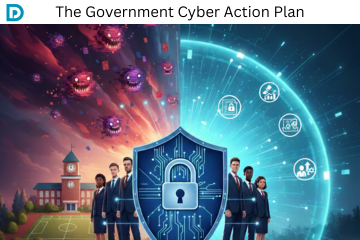
  16. October 6: Cyber Action Plan and A Roadmap to Resilience
  17. October 5: Cyber Responsibilities - We're All in This Together
  18. October 4: When a Cyber Attack Hits
  19. October 3: Data Security, the Core of Protection
  20. October 2: Privacy Protection & Safeguarding Personal Data
  21. October 1: Welcome to Cyber Security Awareness Month!
  22. Nursery Cyber attack
  23. Fraud awareness from the DfE
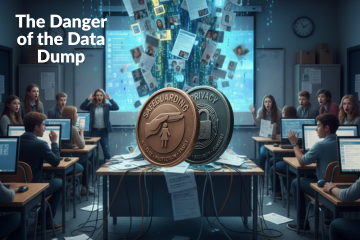
  24. The Classroom's Dark Side: Cyber crime from the Classroom
  25. Data Breach: School sends out names and contact details in a spreadsheet.
  26. KCSIE 2025: Data Protection, AI, and Cyber Security
  27. The Online SCR Data Breach: What You Need to Know
  28. Back to School Basics for Data Protection and Cyber Security Compliance
  29. The Latest Cyber Threat: The "Murky Panda"
  30. Building a Secure School: Using the ICO Accountability Framework to Meet DfE Digital Standards
  31. Why Physical and Data Security Must Go Hand-In-Hand
  32. Digital Safeguarding: DfE announces statutory DfE Digital Standards
  33. The Data Protection Lead/Champion Role
  34. Changes to the Academy Trust Handbook 2025
  35. School closes for two days after cyber incident
  36. Social Media Day 2025
  37. How Ofsted looks at AI during inspection and regulation
  38. Data Breaches 2025 Report Highlights
  39. Not everyone needs access: The Key to Protecting Sensitive Data
  40. School cyber attack: Outwood Academy, Middlesbrough
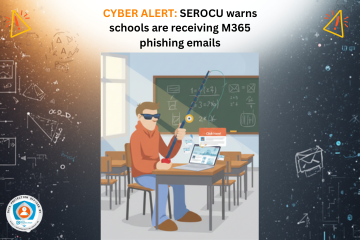
  41. Alert: Schools receiving Microsoft File Sharing Phishing Emails
  42. School cyber attack: Framlingham College, Suffolk
  43. West Lothian Schools in Cyber Attack
  44. A Wake-Up Call for Cyber Vigilance - Danger in the Threat Landscape for Everyone
  45. New Governor Resources
  46. Are teachers using AI? 83% say its a time-saver
  47. DfE Digital Standards - narrowing the digital divide
  48. Arbor AI - On By Default
  49. DfE Guidance: Choosing a new MIS
  50. Short Guide to AI Video
  51. Safer Internet Day, Cyber Security & Data Protection
  52. The Cyber Resilience Championship
  53. The Multiple Dimensions of Supplier Due Diligence
  54. School shares sensitive pupil information as part of an FOI response
  55. Blacon High School Cyber Attack
  56. WhatsApp and FOI's: ICO Warnings
  57. New AI Guidance from the DfE
  58. What the proposed Government legislative proposal around cyber crime means
  59. DfE update to record keeping and management
  60. Update to data sharing for school immunisation programmes
  61. SLT Digital Lead Profile
  62. The role of governors in cyber security and data protection
  63. Navigating Privacy at the End of Term , Special Occasions and End of Year
  64. South East Technological University has experienced a cyber incident
  65. Safeguarding Identity in Microsoft 365: Protecting the UK Education Sector Against Cyber Threats
  66. Cyber Attack on a Special School
  67. Stealing children's data
  68. Ofqual highlights the value of cyber security training in schools
  69. Fylde Coast Academy Trust Cyber Attack This Week
  70. Calling all IT leads in schools and mult academy trusts!
  71. Ransomware cyber attack on a school in Bromley
  72. School hit by Cyber Attack
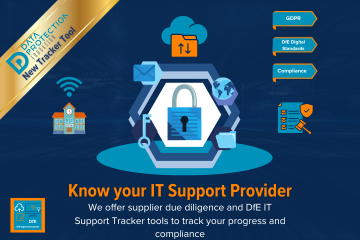
  73. DfE Digital Standards for Schools and Colleges Tracker
  74. Schools and Trusts Best Practice Area
  75. ESFA Cyber Essentials Requirement for Colleges from 2024/2025
  76. ICO Reprimands a School
  77. Out of date technology
  78. Data Retention and the Pupil File
  79. Have you assigned your SLT Digital Lead yet?
  80. What's a Cyber Incident and what should we do?
  81. Getting Started with AI (Artificial Intelligence)
  82. Cyber attack on a school during half term
  83. The rise of cyber attacks in schools are causing pupils to miss classes
  84. Cyber attack on a Trust; the aftermath
  85. School Focus: The Vale Federation | Aylesbury
  86. DfE Dealing with Subject Access Requests (SARs) Guidance
  87. Update to the Guidance on Information Sharing from the DfE
  88. Product Focus on Checklists : Initial Trust Plan
  89. Product Focus on Checklists : End of Term Checklist
  90. Product Focus on Checklists : Social Media
  91. Product Focus on Checklists : Lettings
  92. Milk Island: The secret location that allows children to view restricted content on Google Maps
  93. Free Cyber help, advice and training with the Cyber Resilience Centres
  94. The Perils of Paper: The Printing Vulnerability
  95. Product Focus on Checklists : Governors and Data
  96. Product Focus on Checklists : Site Moves
  97. Cyber attack on a University
  98. Product Focus on Checklists : Bring your own device
  99. Product Focus on Checklists : Working out of school/offsite
  100. Cyber Attack on a School
  101. Major cyber-criminal gang Lockbit brought down by UK Law Enforcement
  102. Product Focus on Checklists : Photos and video
  103. Safer Internet Day 2024
  104. Kent Councils Data Breach
  105. Free cyber training for staff
  106. DfE Digital Standards Update
  107. ClassCharts Possible Data Breach
  108. School Focus: St Bernadette's Catholic Primary School | Brighton
  109. Guardians of Privacy: 16. Social Media Checklist
  110. Guardians of Privacy: 15. Navigating Social Media in Educational Settings Summary
  111. Guardians of Privacy: 14. Social Media and Cyber Bullying
  112. Guardians of Privacy: 13. Social Media, Copyright and Intellectual Property
  113. Guardians of Privacy: 12. Social Media and Going Viral
  114. Guardians of Privacy: 11. Staff Social Media Accounts
  115. Guardians of Privacy: 10. Social Media and Cookies
  116. Guardians of Privacy: 9. Social Media and Morality
  117. New Resources for Schools from the ICO
  118. Guardians of Privacy: 8. Social Media Policies
  119. Guardians of Privacy: 7. Social Media Data Retention
  120. Guardians of Privacy: 6. Posting Safely
  121. Guardians of Privacy: 5. Social Media and Consent
  122. Guardians of Privacy: 4. Social Media Access Control
  123. Guardians of Privacy: 3. Social Media Channels
  124. Guardians of Privacy: 2. Law and Regulations
  125. Phishing attacks targeting schools - alert from City of London Police
  126. The ICO reprimands a Multi Academy Trust
  127. Guidance for the use of school email and applying email retention in schools
  128. Data Protection Tips for Early Years Settings
  129. Trust Initial Plan Checklist Update
  130. Update on Advisory for Rhysida Ransomware
  131. Trust Initial Plan for Data Protection Compliance (for Multi Academy Trusts)
  132. Google for Education Resources: Helping IT Admins meet DfE digital and technology standards
  133. Lettings Best Practice and Guidance
  134. The UK Online Safety Bill becomes an Act (Law)
  135. Considerations when migrating to a new MIS
  136. The importance of software updates (PaperCut vulnerability and Rhysida ransomware)
  137. Public bodies and sensitive data
  138. ICO: 10 Step guide to sharing information to safeguard children
  139. Email and Security: ICO recent guidance
  140. Social Media Policy
  141. Data Protection and Cyber Security (Inset Day) Training Ideas
  142. Changes to Microsoft Free Licensing for Schools
  143. What to do in the event of a Cyber Attack
  144. How KCSIE is linked to Cyber Strategy
  145. VICE SOCIETY - Ransomware attacks on schools
  146. Using Tags if you are a group of organisations in the DPE Knowledge Bank
  147. Cyber Insurance in the Public Sector
  148. Cyber Attack: Leytonstone School
  149. The ICO Reprimands a school
  150. Cyber Attack: Dorchester School
  151. Knowledge Bank Role Types: Admin, Staff and Trustee
  152. Cyber Attack: Wiltshire School
  153. Types of Cyber Attacks: The Insider Threat
  154. Why your data is profitable to cyber criminals
  155. Striking Data Breach
  156. January Cyber update - How Can Schools Help Prevent Cyber Attacks?
  157. FOI: Vaccination Justifications
  158. The Education sector now at highest risk of cyber attacks
  159. Schools Blocked from Using Facial Recognition Systems
  160. The Children's Code
  161. Cyber Attacks
  162. Protocol for Setting Up and Delivery of Online Teaching and Learning
  163. Class Dojo International Data Sharing
  164. Secure file transfer of files using Royal Mail
  165. Emergency contacts and consent
  166. Best Practice for Managing Photos and Video
  167. Headteacher fined for breach of data protection legislation

Search